
What players say
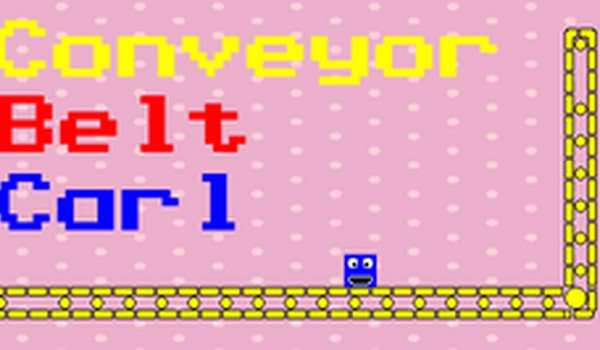
Carl's Conveyor Dash keeps its scope narrow: one input, fixed obstacle layouts, and short sessions. That simplicity is the strength, because difficulty comes from faster belts and denser obstacles rather than new mechanics. The pixel art and upbeat music support the arcade tone, and the HTML5 build removes download friction. The main limitation is variety—players wanting deep progression or complex controls will find it thin. It best suits younger players and anyone wanting a quick, low-pressure browser game.
About this game
Conveyor Belt Basics
Carl moves forward automatically once he lands on a conveyor belt. Your only job is to time a single button press—usually a jump—to clear whatever appears ahead. Boxes, gaps, and barriers are the three obstacle types named in the source material, and each one demands a slightly different reaction window. Because the belt keeps moving, hesitation costs you; the game rewards players who read the upcoming layout and commit to an action rather than reacting late.
Stars and Scoring
Stars sit along the path, and steering Carl into them adds to your score while contributing to unlocking progress. The tension between grabbing a star and staying safe is the main decision you make during a run. A star positioned near a gap might pull you toward a riskier jump line, so weigh whether the extra point is worth the tighter timing. Over a five-minute session, those small choices accumulate into a meaningful score difference.
Rising Difficulty
Later sections speed up the conveyor and pack obstacles more densely. This changes the rhythm rather than adding new inputs—your one button stays the same, but the window to press it shrinks. Learning each level's pattern is the practical path forward: obstacle placements repeat in a fixed order, so a failed run still teaches you where the next box or gap will appear.
Presentation and Access
Bright pixel art and upbeat music carry the arcade feel, and the HTML5 build runs in a browser without any download. The content is designed to be safe for children and families, with no inappropriate material. That combination—short sessions, minimal controls, and a cheerful tone—makes it easy to pick up for a few minutes without a long commitment.
Compatibility
FAQ
Player Comments
Sign in to comment
You must be logged in before posting a review or rating.
No comments yet. Be the first to comment!







Editorial Notes