Fashion Styling Challenge
Reviews
Dress Up: Styling Challenge provides a straightforward and enjoyable fashion experience. The drag-and-drop interface is responsive, and the scoring system rewards thoughtful coordination. With many clothing options and unlockable items, the game encourages repeated play. It is a good choice for short breaks or longer creative sessions. The lack of time pressure makes it accessible for all ages.
Description
Game Introduction
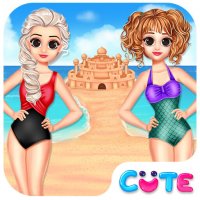
Fashion Styling Challenge is a creative simulation game that invites players to explore the world of fashion and personal styling. The core objective is to dress up a doll by selecting from a variety of outfits and accessories, aiming to create visually appealing and coordinated looks. What makes this game unique is its focus on color coordination and theme matching, rewarding players for their sense of style and creativity. It offers a relaxing yet engaging experience suitable for players of all ages who enjoy fashion and self-expression.
How to Play
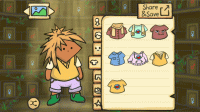
Players start by selecting a doll to style. They then browse through a collection of clothing items and accessories, which may include tops, bottoms, dresses, shoes, hats, and jewelry. Using simple drag-and-drop controls, players place items onto the doll to build a complete outfit. Attention to color matching and adherence to a given theme can help achieve a higher score. Once the look is ready, players submit it to receive points and rewards. Levels can be replayed to improve scores and unlock new items, encouraging experimentation with different combinations.
Game Features
Creative styling with a diverse range of outfits and accessories. Simple drag-and-drop controls make the game accessible to everyone. A scoring system rewards good color coordination and theme matching. Unlockable items provide ongoing motivation to play and improve. The game is suitable for all ages and skill levels, offering a gentle learning curve. Players may also encounter various themes or challenges that guide their styling choices, adding variety to each session.
Tips for Success
To achieve high scores, focus on color harmony and matching the outfit to any given theme. Experiment with different combinations to discover what works best. Replay levels to refine your styling and unlock more items, which can expand your creative options. Pay attention to the scoring feedback to understand what the game values. Practice regularly to develop a better eye for fashion trends and coordination. Most importantly, have fun and let your creativity guide your choices.
Compatibility
Faq
Is this game free to play?
The game is typically free to play, though some versions may offer optional in-app purchases for additional items or features. Always check the app store description for specific pricing details.
Can I play offline?
Many fashion styling games require an internet connection for updates or online features, but some may offer offline play for the core styling activities. Check the game's settings or description for offline capabilities.
Are there age restrictions?
This game is designed for all ages and is generally rated for everyone. It contains no violent or inappropriate content, making it suitable for children and adults alike.
How do I unlock new items?
New items are typically unlocked by earning points and rewards through successful styling. Replaying levels and achieving higher scores can also unlock additional clothing and accessories.
Does the game have different difficulty levels?
The game may include different challenges or themes that vary in complexity, but specific difficulty levels are not confirmed. Players of all skill levels can enjoy the game at their own pace.
Can I share my creations with friends?
Some fashion games allow sharing styled looks on social media or within the game community. This feature may not be available in all versions, so check the game's options for sharing capabilities.