
What players say
Batty the Bat: Halloween Flight targets players who enjoy physics-based arcade games with a single-input twist. The click-position mechanic adds depth beyond simple tapping, rewarding players who vary their clicks to steer. The humorous dialogues and family-friendly Halloween theme give it personality, while the lack of described progression or multiplayer keeps it firmly in casual territory. Best for short sessions and players who value timing challenges over complex systems.
About this game
Click-to-Fly Controls
Batty the Bat: Halloween Flight uses a single-button mouse control scheme. Clicking anywhere on screen makes Batty flap her wings, but the click position matters. Click near the left or right edge and she moves farther horizontally. Click close to her body and she rises higher. Click directly underneath her for a straight upward boost. The game discourages tapping the same spot repeatedly, pushing you to vary your clicks to steer effectively. A mouse is recommended over a touchpad for precision.
Timing Over Reflexes
The core challenge is keeping Batty airborne by flapping at the right moments. Each click has a physics-based effect on her trajectory, so success depends on reading her position and choosing where to click next. There is no auto-fly or glide mechanic—every bit of lift comes from your input. This makes the game accessible to newcomers but still demanding enough for arcade fans who want to improve their timing.
Halloween Atmosphere and Humor
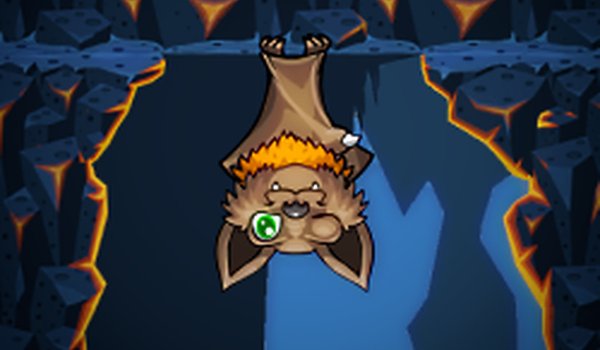
The game is set on a whimsical Halloween night with charming visuals and a cute aesthetic. Batty is a cheerful female protagonist, and the game includes funny dialogues that add personality to the experience. The soundtrack and lighthearted tone keep the mood relaxed rather than stressful. The family-friendly theme is suitable for all ages, and the humorous writing gives Batty a distinct character beyond her flight mechanics.
Session Structure and Pacing
Each play session offers a lighthearted challenge that encourages you to improve your timing and reflexes. The game may include various obstacles and environments that change with each session, keeping the experience fresh. Pressing the Space button pauses the game at any time. There is no complex progression system described—the appeal comes from repeated attempts, better control, and enjoying the humorous presentation.
Compatibility
FAQ
Player Comments
Sign in to comment
You must be logged in before posting a review or rating.
No comments yet. Be the first to comment!









Editorial Notes