
What players say
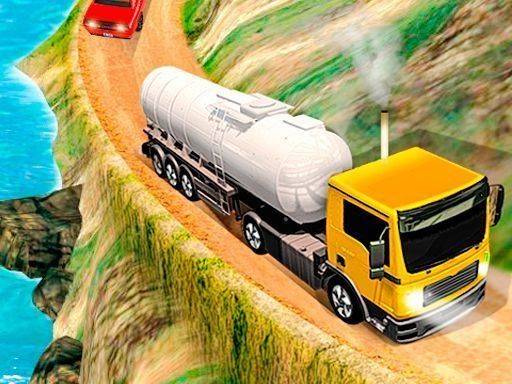
Rugged Terrain Tanker Transport stands out for its commitment to weight-shift physics and traction loss, making every incline and loose surface a genuine test of control. The absence of time pressure lets players focus on reading terrain and adapting to different tanker trucks. Its touch controls and tutorial make it accessible, though the deliberate pace may not suit those seeking arcade action. Best for simulation fans who value precision over adrenaline.
About this game
Vehicle Physics and Terrain Response
Every input in Rugged Terrain Tanker Transport feeds directly into a physics model that tracks weight distribution and surface grip. Pressing the accelerator on a steep incline shifts load rearward, reducing front-wheel traction; braking too hard on a descent can cause the tanker to slide. Loose gravel, mud, and exposed roots each alter how the truck responds, so drivers must read the road ahead and adjust throttle and steering before reaching an obstacle. The system rewards patience over speed.
Route Design and Environmental Challenges
Levels span distinct landscapes, from forest trails littered with fallen branches to mountain passes covered in loose gravel. Each environment introduces obstacles such as boulders, ditches, and narrow ledges that demand precise wheel placement. Textured surfaces make mud, sand, and rock visually and mechanically distinct under the tires. As routes grow longer and more complex, fuel management and vehicle condition become additional concerns, keeping the driving experience varied without relying on recycled scenery.
Progression and Truck Variety
Successful deliveries unlock additional tanker trucks. These vehicles differ in size, weight, and handling characteristics, encouraging players to adapt their driving style rather than mastering a single control pattern. Progression is tied to skill development and careful navigation, not time pressure. There are no forced rushed decisions, so unlocks feel earned through consistent, deliberate driving.
Controls and Approachability
Touch controls use on-screen buttons for steering, acceleration, and braking. The layout is designed to reduce accidental inputs, allowing fine adjustments during tricky sections. A tutorial mode introduces basic maneuvers, and optional tips appear during early levels. Essential information such as fuel gauge and cargo stability remains visible without cluttering the screen, making the simulation approachable for newcomers while retaining depth for experienced drivers.
Compatibility
FAQ
Player Comments
Sign in to comment
You must be logged in before posting a review or rating.
No comments yet. Be the first to comment!










Editorial Notes